Friday, December 14, 2007

Testing on a PE+ Machine

Here is a small update on the new game code I am writing for the PE+ platform.

I finally got around to burning the code on a chip and putting it in my real machine. The results were amazingly good. I was worried about the watchdog timer, but the code I put in place to support it works just fine.

I discovered some interesting details about the machine as I tried to enable certain features within my game.

The coin comparator turns on the coin-lockout feature by default. This means that any coins put into the machine are immediately rejected and come out in the little coin reject tray. I added code to turn off the coin-lockout and any coins inserted after that pass through the ABC optics and into the hopper. I have code in place to check for the proper ABC sequence and any coin-in timeouts before accepting the coin. These functions appear to be completely working.

Next was attempting to payout a coin from the hopper (the area that holds all the coins inside the machine). In order to successfully do this, you must enable both Hopper 1 and Hopper 2 outputs. This makes the hopper motor spin which in turn drives coins up a bar and out of the machine. At the end of the payout chute is a sensor that is triggered as the coin is leaving the machine. By creating code to enable the motor and count the number of coins passing through the sensor, I was able to acurately dispense any number of coins.

There is also support for testing when the hopper is empty, or a coin-out timeout condition occurs. And I added code to turn on the diverter when the hopper is full. This is just a simple gate that diverts coins into an overflow bucket when the hopper cannot hold anymore coins.

With this greater understanding of the hopper/payout process, I was able to fix a bug in the MAME driver that currently has issues with the hopper empty and coin-out timeout conditions. I will be submitting the fix for the next update.

Technically I believe I have most aspects of the machine covered that I will need to finish my game. There are some additional pieces I may add once the game is solid, but they are somewhat optional. This list of extra features would include:
  • EEPROM Support to backup the battery-backed RAM
  • Music Option (The game currently uses tones only)
  • Dollar Bill Validator support (I would need to buy one for testing)
  • Progressive Jackpot Feature (May need partial DUART support)
  • Card Animation
  • Attract Mode Animation (Blinking Play 5 Coins)
  • Double Up Feature
  • Soft Meters (Keeps track of coin counts etc)
  • Joker Feature (Optional but would reduce paytables)

There is plenty of testing and coding to do, but I believe my knowledge of the machine is growing and will allow me to further solidify the current MAME driver over time.

Thursday, November 29, 2007

3 Card Poker Diversion

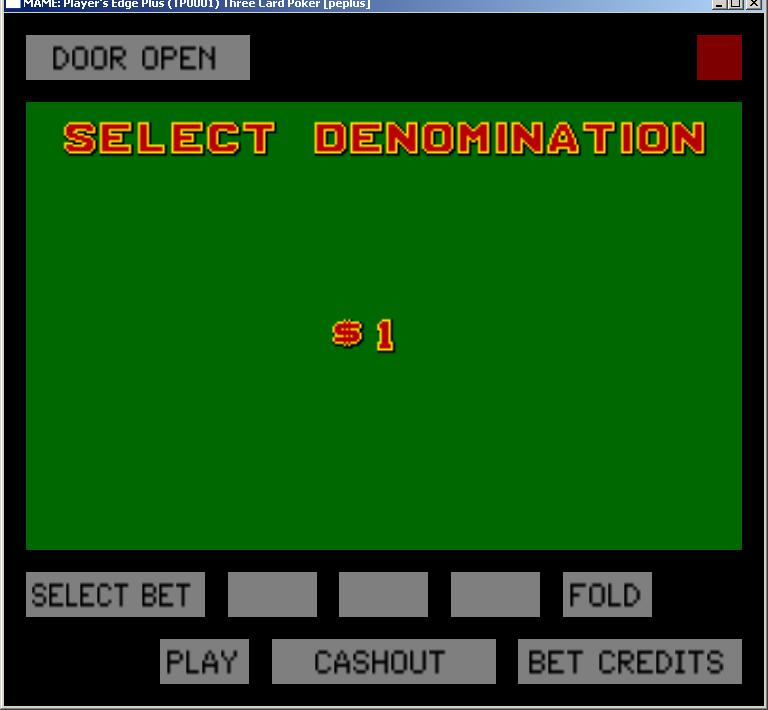
Looks like my MAME adventure has changed course slightly for the time being. After learning so much about the PE+ hardware and emulating it, I decided to try my hand at creating a new romset for this platform from scratch!

The results so far are the many pictures posted here. I decided to create a game that is not currently found on this platform, and chose to go with a 3-card poker game.

The rules of the game are fairly straight-forward. You and the dealer are dealt 3 cards each and you must obtain a higher hand than the dealer. It is classic stud poker, where you don't discard and draw.

Besides the normal "ante" wager. You can place a bonus wager on the final value of your hand dealt. This "Pair Plus" wager pays even if you end up losing the hand. The bonus wager only pays if your hand is a pair or better. A paytable determines the payout for each of the bonus hands.

Once you receive your hand you can decide to either play or fold. If you play, you must place a second wager that matches your original ante. If you fold, you lose your ante wager, but can still receive your bonus payoff if you have a pair or better.

If you decide to play, the dealers cards are revealed and you are paid even money for your ante wager if you have a higher hand than the dealer. If the dealer hand qualifies (Queen high or better), your play wager also pays even money, otherwise its a push. If a tie occurs, you push both bets.

I'm developing the application using SDCC and compiling for the i8052 platform. Once compiled I convert the .HEX file to a .BIN file and test it under MAME. So far I have the video, inputs and sound mostly working. Its interesting to code from the other side of the platform. Things as simple as random number generators (which is done), etc. can be a pain to figure out, but once I am done, I will have a solid SDK for building other games.

I have been trying to create a game in the same style as IGT and therefore I have been adding support for the multiple operator screens that are used to setup the machine.

I will eventually burn the game onto a chip and test it in my real machine. But I want to make sure I have most of the bugs worked out first in MAME. Burning chips and disassembling the machine to pop in the chip takes too much time, but will need to be done sometime in the future to make sure I didn't miss something in the code (like the watchdog timer which the MAME driver ignores).

There is still plenty of code required to finish the game, but I am learning a lot about this machine as I go. And I currently have a lot of useful code for my PE+ SDK.

Thursday, November 8, 2007

Superboard, Keno and Slots

The PE+ machine has at least two varieties of motherboards. The basic board I have been emulating and the superboard version. The superboard has an additional socket on it for "game data". The superboard is backwards compatable with most or all of the non-superboard games (those that begin with PP or PS etc). The superboard specific games generally are in the format of XPnnnnnn or XSnnnnnn with game data roms in a format of XnnnnnnP or XnnnnnnS. (P for poker and S for Slots)

Internally, the super board maps the game data rom in all the external addresses the non-superboard had not used. After tracing the schematics, I determined the addresses are $1000, $3000, $5000, $7000, $9000, $B000, $D000 and $F000. So even though the game rom is stored on a 64k chip, only every other page actually can contain data. This essentually adds 32K of information to the superboard romsets.

With these changes added to the driver, I can now support the rather large list of superboard roms too. The slot pictured above is the Triple Triple Diamond Video Slot (XS000006) romset for the superboard. The slot driver uncovered some additional issues with video processing that I had not encountered before. Once I figured out the issue, the slot reels lined up nicely and the gameplay was correct.

Another romset now supported is the Deuces Wild Video Poker (XP000019). It is similar to many of the video poker romsets but has a few different graphics and gameplay with 2's being wild.

Lastly, I added support for a non-superboard version of Keno (KE1012). The romset I have has a bad dump of the CG files so there is some residue on the screen on some of the larger letters. The game uses a lightpen for input, so I had to add lightpen support, but it seems to be working just fine now.

At this point I am finding some small issues with the coin hopper timing when the machine tries to payout coins. I sometimes get a hopper empty or coin-out timeout message. It appears I will need to do something similar as the ABC optics for the coin-in mechanism, but not as complex. Some initial code appears to work on the non-superboard romsets.


Monday, November 5, 2007

EEPROM Support and Blackjack

Since the last time I posted, I worked on adding I2C EEPROM support to the driver. Initially I spent a bunch of time creating the code I needed from a couple different sources I found in the MAME code base. Once I got the code working, I began to test the driver and things looked pretty good. A couple of days later, another MAME developer (smf) produced a much better library then the one I had cobbled together and helped me hook it into my driver and replace the I2C code I had already in place. The newer I2C driver worked great too and is now part of the MAME core.

Now that the I2C code is in the driver, a lot of hacks have been removed. The following is the sequence of events that take place when you load a game for the first time.

  1. The first time in, the CMOS (battery-backed RAM) and the EEPROM will both be empty. You will get a "Call Attendant - CMOS Data" screen, and when you open the door and press the Self-Test button, it will attempt to load values from the EEPROM to the CMOS.
  2. The next time you start the game, you will get a "Call Attendant - EEPROM Data" screen. When you open the door and press the Self-Test button, it will attempt to load the EEPROM with default data found in the game code.
  3. At this point, both the CMOS and EEPROM contain some default values and you must enter operator mode to fill in any missing values such as denomination.
  4. From that point on, all restarts of the game will react properly and the game will display.

I have found a few games that are having issues when using the 8052 specific Timer 2. These games do not let you proceed past step 1 as of yet. I'm thinking the I8051 driver in MAME may not be working for this scenario, or I am missing some other piece in my driver.

Finally, as you can see from the picture above, I have included in the driver support for a new fully working clone (PEBE0014) which is the IGT Blackjack program that also runs on the PE+ platform.

Thursday, October 25, 2007

The ABC's of Coin Optics

After a bunch of research and trial and error, I finally got the coin-in functionality to work.

This type of IGT machine uses an ABC coin optic detector translator. Basically what happens is the coin is dropped into the coin slot and passes through 3 different optics (A, B & C). As the coin passes through each optic, the optic's state changes from zero to one for a short period of time. This sequence is important to the game program and must be in the following order:
A->AB->ABC->BC->C

So first the A Optic is triggered, then the B Optic is triggered (while A is still active) and finally the C Optic is triggered (while A & B still active). From there the optics begin to shut off starting with A, then B, then C.

The reason for such complexity is to prevent "coin stringing". Where someone attaches a coin to a string and tries to pull it back out of the slot. In this scenario, the optics would be triggered correctly on the way down, but would start to trigger again on the way up and screw up the sequence expected. Once the sequence is broken, the coin either produces a "Jam" error message or "Coin Sequence" error.

By adding code to the driver to simulate a correct sequence of the optics, I am now able to press a key to insert coins, and the game shows a coin in.

Tuesday, October 23, 2007

Door Closure

Well I finally got the code mostly working for the door closure problems I was having. It seems the door optics like to pulse on and off when in a closed state. The game now starts with the door closed and I can press a key to simulate opening the door. However, I cannot yet get back to a closed door without restarting.

Still this is important, since it allows me to test the coin-in optics now. The machine tends to bypass the coin detection when the door is open, so having it closed now will help in debugging.

The door closure also allowed me to see for the first time the "attract mode" animation on the cards. As you can see in the picture, the face cards animate when the game is idle, assuming you have the option set to do so in the operator setup.

Time to figure out the coin-in sequence now. Its obviously an important feature to implement.

Thursday, October 18, 2007

Minor Update


Not much new to report today. I updated the driver to support a new romset, PP0188 - Standard Draw Poker. A screenshot of it is pictured here with the paytable option on. This rom also has an AutoHold feature, but was disabled. It has been suggested that depending on a casino's location and policies, that they will sometimes enable or disable this feature.

I had to apply the same code hacks as the PP0516 driver to make it work. But it does work as far as the others go.

I just updated my driver against the MAME .120 source and submitted it again. Hopefully the next revision will have some of the changes and bug fixes I made to the 8051 core.